
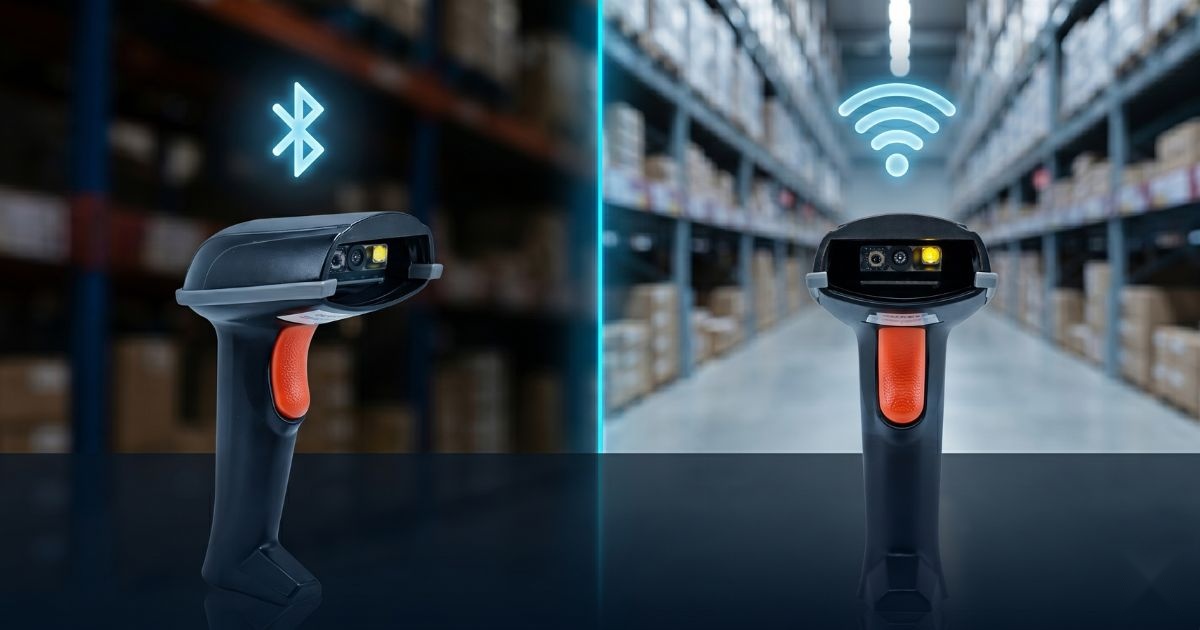
Bluetooth vs Wi-Fi Barcode Scanners: Which Is Right for Your Workflow?
Wireless Does Not Mean Interchangeable
Most purchasing conversations about barcode scanners include the question "does it come in wireless?" Far fewer include the follow-up: which kind of wireless? Bluetooth and Wi-Fi are both radio technologies, both remove the cable, and both can carry scan data to a system. They differ in architecture, in what they need around them and in where the data goes next. Choosing the wrong one can leave a warehouse management system (WMS) waiting for data that is still sitting in a queue, or it can add an enterprise wireless project to a site where a cradle on a desk would have done the job.
The choice is also less symmetrical than the title suggests. Bluetooth scanners usually pair with a cradle, a base station or a host device such as a PC or tablet. Wi-Fi scanning, in practice, is often done on handheld mobile computers that carry a built-in scan engine and talk to a server directly, although scan-only Wi-Fi devices exist too. This article explains how each link works, what the published specifications do and do not tell you, how the two share spectrum, and which questions to answer before you buy. Where a figure comes only from a supplier or a single publisher, the text says so.
| USD 7.8–8.1 B | Global barcode scanner market in 2025, all connectivity types. IMARC Group: USD 7.8 billion, 5.89% annual growth to 2034. The Insight Partners: USD 8.08 billion, 5.99%. Technavio forecasts 9% annual growth for 2024–2029. Scope and forecast periods differ. (Sources: as named, 2025–2026) |
| 68% / 20% / 12% | One publisher's 2025 split of the wireless scanner market: Bluetooth 68%, Wi-Fi about 20%, proprietary radio-frequency about 12%. This is a single small publisher and is indicative only. (Source: P Market Research, 2026) |
| ~100 m vs ~10 m | Nominal open-space range of Bluetooth Class 1 (up to 100 mW) and Class 2 (up to 2.5 mW) radios. Ranges assume no obstructions, and a 100 m link needs Class 1 at both ends. (Source: Ezurio Bluetooth class FAQ; RF Wireless World, retrieved 2026) |
| 2.4 GHz | Bluetooth and many Wi-Fi networks share this unlicensed band, so mutual interference is possible. Bluetooth has used adaptive frequency hopping since Core Specification 1.2 to reduce it. (Sources: IEEE Technology Navigator; MathWorks; EDN, retrieved 2026) |
| Up to 7 | Scanners that can pair to a single cradle in some manufacturers' product documentation, which contradicts the common assumption of strict one-to-one pairing. Other cradles support fewer. (Source: Zebra product documentation, retrieved 2026) |
How Bluetooth Scanners Work, and Where They Fit
A Bluetooth scanner forms a short-range radio link with a receiving device. In retail and light warehouse use, that receiver is usually a cradle or base station that connects to the host by USB, serial or keyboard wedge, or it is a tablet, phone or PC paired directly. The scanner does not join your network. The host receives the data and passes it on to the application.
The common claim that pairing is strictly one-to-one is not accurate for cradles. Zebra documents a multipoint mode in which up to seven scanners pair to one cradle, and a datasheet for an older model lists three scanners per desktop cradle and seven per presentation cradle (Source: Zebra documentation and datasheet, retrieved 2026). Reseller listings for a Honeywell charge-and-communication base give three or seven depending on the model (Source: reseller listings, retrieved 2026). The limit depends on the product, so check it for the model you are considering.
Range: read the conditions
Bluetooth classes are defined by transmit power. Class 1 radios transmit up to 100 mW and are commonly quoted at about 100 m in open space. Class 2 radios transmit up to 2.5 mW and are quoted at about 10 m. Both figures assume an unobstructed path, and a 100 m link requires a Class 1 radio at both ends (Source: Ezurio; RF Wireless World, retrieved 2026). Indoors the usable distance is shorter. One engineering explainer's illustrative indoor model works out to roughly 30 m before wall losses are counted (Source: EverythingRF, retrieved 2026). For planning, a Class 1 scanner and base on a real floor can therefore sit anywhere from about 30 m to 100 m, depending on racking, stock, walls and interference, so confirm the figure on your own floor.
Datasheet ranges also depend on configuration. One manufacturer's spec sheet lists a Bluetooth Class 2 radio for a cordless scanner together with a 100 m line-of-sight range when used with a presentation cradle (Source: Zebra LI4278 spec sheet, retrieved 2026). The lesson is to read the footnote: which cradle, which environment and which radio class produced the number.
Connection modes decide compatibility
Bluetooth scanners usually offer more than one way to talk to a host. In keyboard mode (the Human Interface Device, or HID, profile), the scanner behaves like a Bluetooth keyboard and needs no software. This is the most common default on host devices (Source: Opticon quick-start guide, retrieved 2026). In serial mode (the Serial Port Profile, or SPP), an application receives the whole barcode value as data and has more control over formatting, and this mode is generally used on Android and Windows (Source: Argox quick-start guide; CodeREADr, retrieved 2026).
Apple devices add a constraint. Third-party serial access is limited to certified accessories, and a scanner paired in keyboard mode suppresses the on-screen keyboard unless the scanner offers a toggle (Source: Opticon quick-start guide; ShipHero help article, retrieved 2026). If your workflow runs on tablets or phones, confirm the scanner's supported modes for your operating system before you buy.
Pairing and security
Pairing registers a scanner with one receiver, often by scanning a pairing barcode, and each cradle uses its own unique pairing code (Source: Zebra documentation, retrieved 2026). Treat pairing as inventory. When a scanner is replaced or moved between workstations, re-pair it deliberately, and ask the supplier which Bluetooth version and which pairing security mode the model supports, because older versions offer weaker protection than newer ones.
Offline buffering is a device feature
Many scanners can hold scans when the link to the host is lost and send them when it returns. That is a firmware and memory feature of the scanner, not a property of Bluetooth itself, and it varies by model. Ask for the buffer size, the behavior when it fills and what happens on reconnect.
Where Bluetooth tends to fit
- Checkout counters and mobile checkout, where one or a few scanners serve one host.
- Single-zone sites and inventory counts run from a tablet application.
- Workflows where scan data goes to a local host before it reaches any central system.
- Settings that prefer device-level separation from the main network, subject to your own security review.
How Wi-Fi Devices Work, and What They Require
A Wi-Fi device joins your wireless network as a client, the same network that carries your servers and workstations. It can send each scan straight to the WMS or enterprise application without a cradle or host in between. Many of the devices that do this are mobile computers that run the warehouse application themselves, which makes the scanner part of a larger device with its own operating system, applications and management needs.
It helps to separate two device types. A scan-only Wi-Fi device sends decoded data to an application running elsewhere. A mobile computer runs the application locally, can show instructions to the operator and, depending on how the application is built, can keep working against local data until it reconnects. Which type you need changes the cost, the management effort and how much the network matters for each scan, so settle it before you compare radios.
The trade-off is that the network becomes part of the scanning system. If coverage is poor, scanning is poor. The points below are where deployments most often go wrong.
Roaming is the client's decision
As an operator walks between access points, the device must hand its connection from one to the next. Cisco's design guidance notes that neither the IEEE nor the Wi-Fi Alliance specifies when a client should roam or how it picks the next access point, so the behavior differs by device (Source: Cisco design guide, retrieved 2026). With enterprise authentication (802.1X), a full re-authentication against a RADIUS server on every roam can add hundreds of milliseconds, according to vendor guides (Source: Purple technical guides, retrieved 2026).
Three IEEE amendments address this. 802.11k gives the client a list of neighboring access points, 802.11v lets the network suggest a better one, and 802.11r (Fast BSS Transition) shortens re-authentication. One caution from the same Cisco guidance: older clients may fail to connect to a network that has 802.11r enabled. Confirm that your scanners support these features before you switch them on across the site.
Coverage needs design, not a rule of thumb
Warehouse racking and stock change how radio signals travel. A common design target is a signal of −67 dBm or better across 95% of the floor area, validated with the actual devices at working height rather than a laptop (Source: Electronics For You, 2026). Cisco also recommends the 5 GHz band for voice, video and other demanding applications, which reduces overlap with Bluetooth and other 2.4 GHz devices (Source: Cisco design guide, retrieved 2026).
Security and management
Enterprise authentication moves credential checks to a central server, which suits fleets of shared devices but adds setup work and roaming overhead. Fleets of Wi-Fi devices also need a way to push configuration, applications and operating system updates, for example through a mobile device management (MDM) platform. Count that effort in the project, not only the hardware.
Where Wi-Fi tends to fit
- Large, multi-zone sites where one Bluetooth cradle cannot cover the floor.
- Workflows where each scan must reach the WMS or another system immediately, such as replenishment triggers or order status updates.
- Fleets with many concurrent devices that need central management.
- Sites that already have an enterprise wireless network surveyed for handheld devices.
Bluetooth vs Wi-Fi: The Decision Framework
The table maps the main decision variables side by side. Use it as a checklist for your own site, not as a ruling. A third category, proprietary radio-frequency scanners, is tracked separately by one market publisher at roughly 12% of the wireless market, so ask suppliers which radio technology a "wireless" model actually uses.
| Factor | Bluetooth scanner | Wi-Fi device |
|---|---|---|
| Range | Class 1: about 30–100 m depending on the environment (100 m is the open-space figure, both ends Class 1). Class 2: about 10 m. Confirm on site. | Facility-wide, as far as the access-point network covers it. |
| What you need around it | A cradle, base station or paired host. No network project. | An enterprise wireless network designed and surveyed for handheld devices. |
| Data path | Scanner to cradle or host, then the host passes it on. | Device to access point to server or WMS. |
| Timeliness | Near-real-time while the host is online and connected to the system. | Real-time while the device is in coverage. |
| When the link drops | Depends on scanner firmware: buffer size and reconnect behavior. | Depends on device firmware and application behavior. |
| IT effort | Low per site. Pairing and mode selection (HID or SPP) per device. | Higher: network design, authentication, roaming, device management. |
| Devices per link | Direct pairing is one-to-one. Some cradles pair several scanners (up to seven in some documentation). | Many devices share the network. |
| Spectrum | 2.4 GHz, shared with Wi-Fi and other devices. | 2.4 GHz and 5 GHz, and 6 GHz on newer standards. |
| Cost | Usually lower if no suitable Wi-Fi network exists. We found no reliable public benchmark for total cost of ownership. | Lower incremental cost if a suitable network already exists. |
| Typical fit | Counters, small sites, tablet-based counts, local hosts. | Large sites, real-time WMS integration, large managed fleets. |
Two remarks on the table. First, the range row is the most misunderstood. Bluetooth is often described as short-range because most consumer devices use Class 2 radios, and some cordless scanners advertise 100 m figures that rely on a specific cradle and open conditions. Second, the cost row depends on what you already own. If enterprise Wi-Fi is already surveyed and managed, the extra cost of Wi-Fi scanning is mostly the devices and their management. If it is not, the network project can dominate.
Using Both: Coexistence and Mixed Fleets
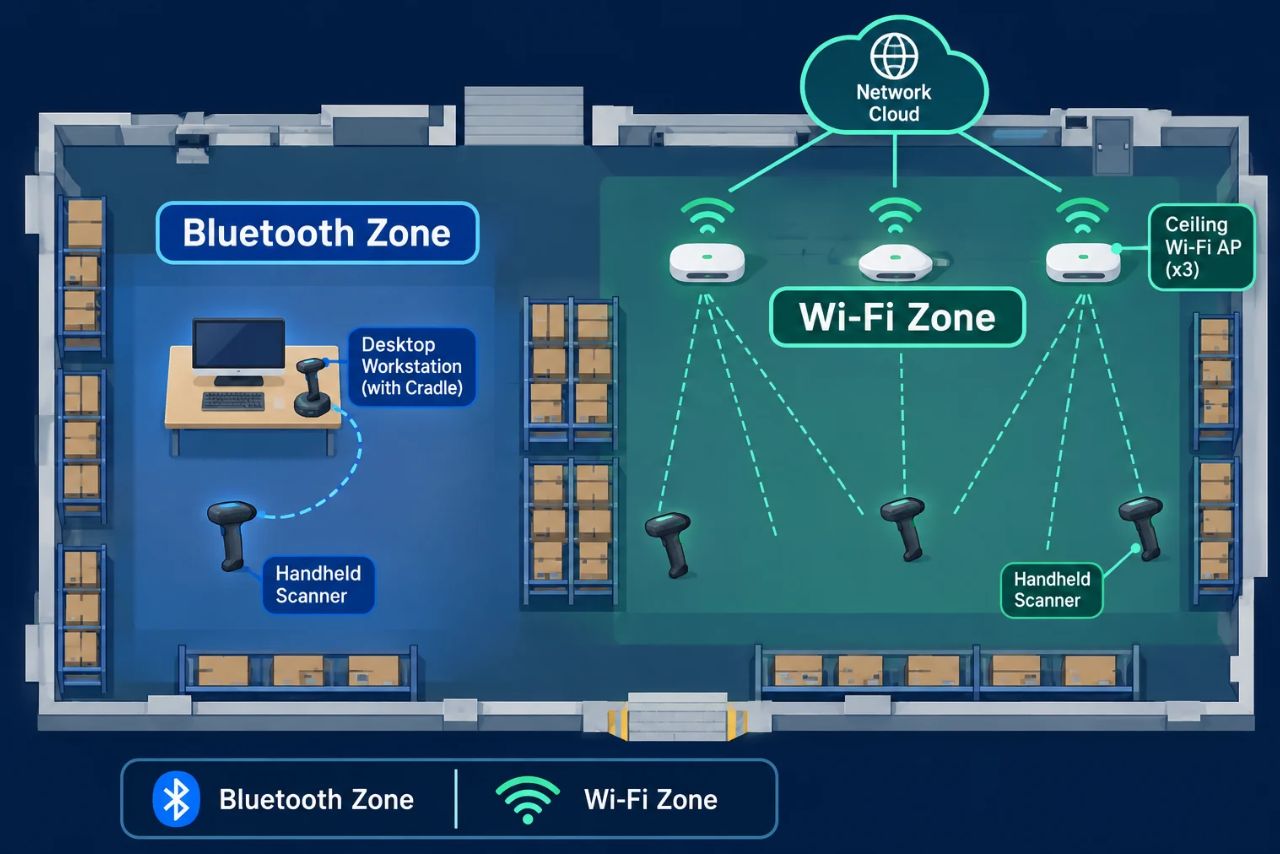
Many sites end up running both, for example Wi-Fi handhelds on the warehouse floor and Bluetooth scanners at packing benches or counters. That is a legitimate design, but one common claim about it is wrong: Bluetooth and Wi-Fi do not occupy separate bands. Bluetooth operates in the 2.4 GHz ISM band, the same unlicensed spectrum used by 2.4 GHz Wi-Fi (Source: IEEE Technology Navigator, retrieved 2026). Because both operate there, mutual interference exists and can reduce performance for both (Source: MathWorks documentation; EDN, retrieved 2026).
Bluetooth has a built-in defense. Adaptive frequency hopping, added in Core Specification 1.2, lets a Bluetooth radio avoid channels that suffer interference (Source: EDN; Rohde & Schwarz application note, retrieved 2026). Interference is therefore a design consideration rather than a reason to avoid mixing the two. Putting Wi-Fi devices on 5 GHz where possible, and testing Bluetooth links in the areas with the densest Wi-Fi, are sensible precautions.
The larger practical challenge in a mixed fleet is management. You will have two device populations with different firmware, batteries, pairing procedures and update paths. Decide up front who owns each population, how updates are tested and how devices are inventoried. An MDM platform can cover Wi-Fi mobile computers, while Bluetooth scanners are typically managed through the manufacturer's configuration tools and barcodes.
Questions to Ask Before You Choose
- Must each scan reach the WMS in real time, or is a short delay acceptable? What does a delay cost in your process?
- Is an enterprise Wi-Fi network already in place, and has it been surveyed with handheld devices at working height?
- What range do you need on a real floor with racking, not in open space? Has the supplier's range figure been tested in similar conditions?
- Which Bluetooth class is each end of the link, and which cradle or base produced the datasheet range?
- Which connection modes does the scanner support (HID, SPP, other) and do they work with your host operating system?
- How many scanners can one cradle or base serve, and how are they paired and replaced?
- What happens to scans when the link drops: buffer size, order of upload and duplicate handling?
- For Wi-Fi devices: do they support 802.11k, 802.11v and 802.11r, and how do they behave with your authentication method?
- Who manages firmware, configuration and batteries for each device population, and with which tools?
Match the Link to the Workflow
The decision comes down to three questions: how quickly data must reach a central system, whether a surveyed enterprise network already exists, and how far scanners must roam. Where data can pass through a local host and the footprint is contained, Bluetooth is often the simpler fit. Where each scan must reach the WMS as it happens across a large floor, a managed Wi-Fi network becomes part of the scanning system.
Neither is universally better. Verify range and compatibility claims under your own conditions, check what each device does when the link drops, and treat the network and device management as part of the purchase. For a broader view of cordless options, see our article on wired and wireless scanners.
Frequently Asked Questions
What is the difference between a Bluetooth and a Wi-Fi barcode scanner?
A Bluetooth scanner pairs with a cradle, a base station or a host such as a PC or tablet, and does not join your network. A Wi-Fi device joins your enterprise wireless network and can send each scan straight to the WMS. In practice, much Wi-Fi scanning is done on handheld mobile computers with a built-in scan engine, although scan-only Wi-Fi devices exist.
How far can a Bluetooth barcode scanner reach?
Class 1 radios are commonly quoted at about 100 m in open space and Class 2 radios at about 10 m, assuming no obstructions, and a 100 m link needs Class 1 at both ends. Indoors, plan for roughly 30 to 100 m depending on racking, walls and interference, and confirm the range on your own floor.
Do Bluetooth and Wi-Fi interfere with each other?
They can, because both use the 2.4 GHz band. Bluetooth has used adaptive frequency hopping since Core Specification 1.2 to avoid busy channels, so interference is a design consideration rather than a reason not to mix them. Put Wi-Fi devices on 5 GHz where possible and test Bluetooth links in the areas with the densest Wi-Fi.
Can one cradle serve several Bluetooth scanners?
Often it can. Some manufacturers document up to seven scanners per cradle and others fewer, so check the limit for the model you plan to buy instead of assuming one-to-one pairing.
Scanning in a demanding environment?
Share your operating conditions, and we'll give you an honest view of what fits.
Explore ALVICS Products → Logistics & Transportation Solutions →