
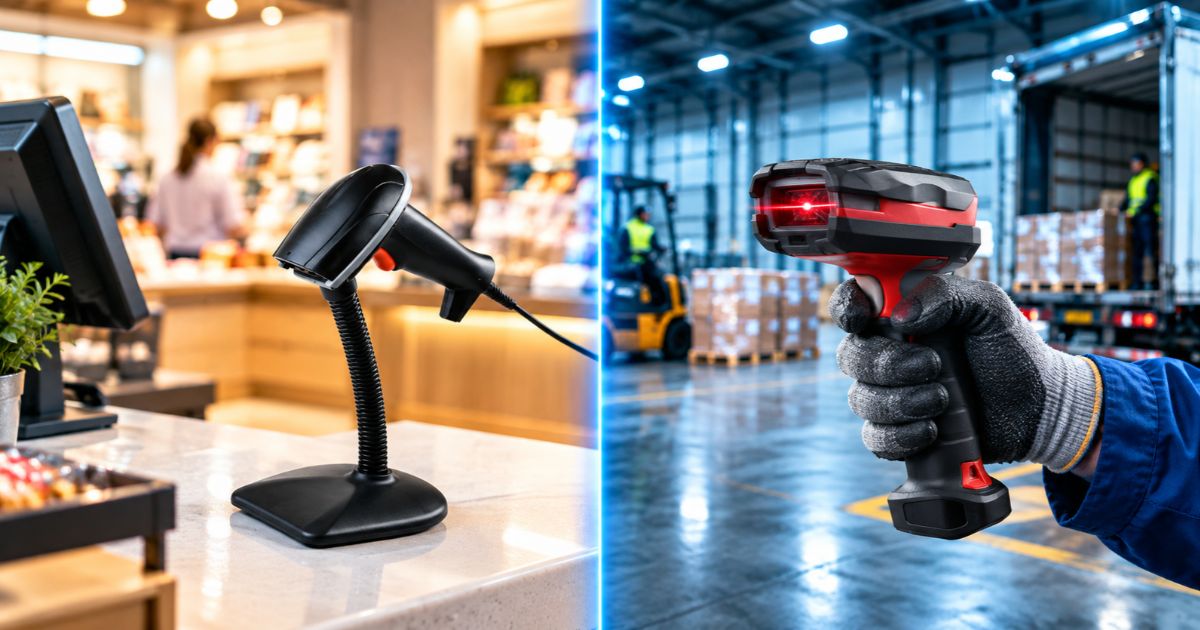
Industrial vs Commercial Barcode Scanners: Don't Buy the Wrong One
Two Categories With No Official Boundary
Ask three scanner makers where "commercial" ends and "industrial" begins and you will get three answers. No standard defines either term. They are marketing tiers, and each manufacturer draws its own lines between value, general-purpose and rugged models. That is why the label on the box is a weak guide, and why buying the wrong tier is easy in both directions.
Buy too light and the scanner fails where it is used: dropped on a dock floor, rinsed during wash-down or carried into a cooler. Buy too heavy and you pay for sealing, drop resistance and temperature range that a checkout counter never uses. This article compares the tiers on the specifications that actually differ, shows how to read a drop rating, and sets out a simple way to compare total cost instead of purchase price. Published failure and cost studies are dated and mostly cover mobile computers rather than scanners, and the text says where that matters.
| USD 7.8–11.1 B | Global barcode scanner market in 2025 across three research firms: IMARC Group USD 7.8 billion, The Insight Partners USD 8.08 billion, Market Research Future USD 11.1 billion. Scope differs, and some definitions include mobile computers. (Sources: as named, 2025–2026) |
| ~11% vs 6–7% | Annual growth estimates for the industrial barcode scanner segment (360iResearch 10.9% for 2025–2032, Technavio 10.7% for 2023–2028) against the whole market (IMARC 5.9%, Market Research Future 6.9%). Scope and periods differ. (Sources: as named, 2025–2026) |
| 26 drops, 1.22 m | The MIL-STD-810 transit drop test for items up to 36 in (0.9 m) in their largest dimension: 26 drops from 48 in (1.22 m), one on each face, edge and corner. Manufacturers self-test, and no central body certifies the result. (Sources: Rugged PC Review, 2019; Gorilla Cases, retrieved 2026) |
| IP42–IP54 vs IP65–IP67 | Typical sealing ratings in datasheets for commercial and light-duty scanners compared with industrial models, alongside drop ratings of roughly 1.5–1.8 m against 2.4–2.5 m. (Sources: supplier datasheets and reseller listings, retrieved 2026) |
| 15.2% vs 6.9% | Annual failure rates for non-rugged and rugged tablets in a VDC Research study, with 52–80 minutes of worker productivity lost per failure. The study covers tablets, not scanners. (Source: VDC Research, cited in a DT Research press release, 2018) |
What Actually Differs Between the Tiers
Datasheets from several manufacturers show a consistent pattern, though the boundaries overlap. The table summarizes ranges seen in published specifications. They are observations from datasheets, not definitions, and individual models vary.
| Specification | Typical commercial or light-duty | Typical industrial or rugged |
|---|---|---|
| Environmental sealing | IP42 to IP54 | IP65, often IP65 and IP67 |
| Drop to concrete | About 1.5 to 1.8 m | About 2.4 to 2.5 m |
| Tumble test | 250 to 1,000 tumbles | Up to 5,000 tumbles |
| Operating temperature | About 0 to 50 °C | About −20 to 50 °C, wider on some models |
| Trigger or switch life | Often not published | Some models publish 10 million presses |
| Typical settings | Retail counters, offices, light back-of-house | Warehouses, docks, factories, cold storage, outdoors |
Sealing: dust and water
Ingress protection (IP) codes come from the IEC 60529 standard. A commercial rating such as IP42 protects against small solid objects and dripping water, but not against dust or water jets. IP65 is dust-tight and withstands water jets, and IP67 adds temporary immersion. Several corded retail models in the datasheets we reviewed list IP42, and an office-grade fixed model lists IP54, while the industrial models list IP65 or IP65 and IP67 together (Source: Advantech and RT Automation datasheets; reseller comparisons, retrieved 2026). Our guide to IP ratings for industrial scanners explains how to match a rating to a wash-down, a dock or a freezer.
Drop and tumble: read the whole line
A drop rating is only meaningful with its conditions. MIL-STD-810 Method 516 is the reference most datasheets borrow. Its transit drop test, in the 2008 revision known as 810G, dropped an item 26 times from 48 in (1.22 m) onto 2 in of plywood over concrete. The 810H revision from 2019 changed the default impact surface to steel plate over concrete, and added drop scenarios beyond the transit case (Source: Rugged PC Review, 2019). A manufacturer can test its own product against the standard, and no central authority certifies the result (Source: Gorilla Cases, retrieved 2026).
Height alone therefore says little. A corded retail scanner in one manufacturer's range lists a 1.8 m drop to concrete and 1,000 tumbles, while its sealing is only IP42 (Source: reseller comparison, retrieved 2026). The industrial gap often shows in the tumble count, the sealing and the temperature range rather than in the headline drop height. When you compare, collect four facts for each model: the height, the number of drops, the surface and the temperature at which the drops were done.
Temperature: check where the spec applies
Commercial datasheets typically give an operating range starting at 0 °C. Industrial cordless models are often specified from −20 °C. One industrial scanner lists a 2.5 m drop at room temperature but 2.0 m at −20 °C (Source: Datalogic PD9630 listing, retrieved 2026). The lesson is to confirm whether a drop figure holds at the temperature of your cold room or loading dock, not only on the day it was tested.
Moving parts and service life
Some industrial models publish a trigger life, for example 10 million presses (Source: Datalogic PowerScan 9600 reseller listing, retrieved 2026). Divide such a figure by your own usage. As an illustration, a picker who scans 5,000 times a day for 300 days a year presses the trigger about 1.5 million times a year, so 10 million presses lasts about six to seven years before that part is the limit. Those usage numbers are assumptions for the example, not data.
Scan performance
Industrial models are often sold with longer working range and better handling of damaged labels or direct part marks. This difference is less standardized than the mechanical ones, and published claims come from suppliers. Test candidate scanners on a sample of your own worst labels, then compare first-read rate and time to read under the same conditions.
Housing, cleaning and chemicals
An IP code describes protection against solids and water. It says nothing about chemicals. In wash-down or disinfection settings, the housing material, the window and the seals are exposed to cleaning agents, and a scanner can pass its sealing test and still discolor, crack or leak after months of repeated cleaning. Ask each supplier for the list of cleaning agents the housing was tested against, and for the replacement cost of the parts that wear first, such as scan windows and seals.
Where Commercial Scanners Are the Right Choice
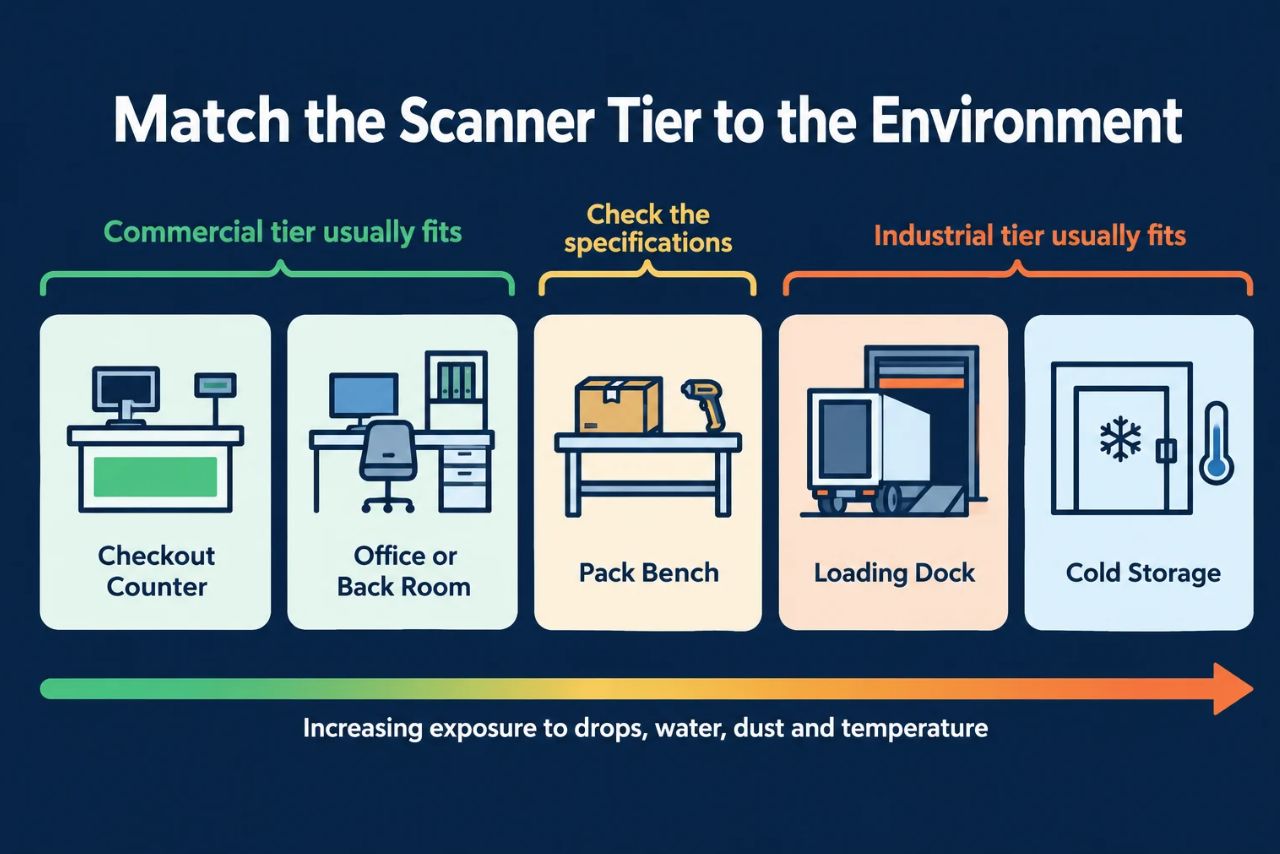
A commercial-grade scanner is not a lesser choice. It is the right choice wherever the environment never reaches the limits that a rugged design is built for:
- Checkout counters and service desks, where the scanner sits in a stand or on a tether and is rarely dropped.
- Offices and clean back rooms with stable temperature and no water exposure.
- Low-volume, light-duty tasks, where the trigger is pressed a few hundred times a day.
- Spare or loaner pools in non-harsh areas, where price matters more than endurance.
An industrial scanner at a clean checkout adds price and weight without adding benefit. Our guide to retail scanner selection covers how to match devices to counter tasks.
Where Industrial Scanners Pay Off
The industrial tier earns its price where one or more of these conditions is routine, not occasional:
- Loading docks and receiving, with drops onto concrete, rain, dust and rough handling.
- Cold storage and freezer entry, where low temperatures and condensation are daily conditions.
- Wash-down and chemical cleaning, where sealing and housing materials matter.
- Outdoor yards and field work, with weather, dust and mud.
- High-volume shifts, where triggers, batteries and cables are used continuously.
- Vehicle mounting, where vibration and shock are constant.
If any of these applies to a scanner's daily life, the commercial tier is the wrong tier. The warehouse and logistics guide maps these conditions to typical warehouse zones.
Under-specifying has costs that do not appear on an invoice. A failed scanner at a dock door at carrier cut-off time delays the loading of every parcel behind it. A spare pool that is too small leaves operators sharing devices or going back to paper. Repeated repairs consume support time and make failures harder to predict. These effects are hard to price in advance, which is one reason to measure them on your own floor.
Purchase Price Is the Smaller Part of the Cost
Studies from VDC Research, a market research firm, found that hardware purchase accounted for only about 14–16% of the total cost of ownership of mobile computers, while productivity lost to hardware failure made up roughly 49% (Source: VDC Research 2007, cited by Control Engineering and Barcodes Inc.). The same research reported annual failure rates often above 30% for non-rugged mobile computers in that period. A later VDC study on tablets reported 15.2% for non-rugged against 6.9% for rugged, with 52–80 minutes of worker time lost per failure and an annual cost of ownership 22% lower for rugged tablets (Source: VDC Research, cited in a DT Research press release, 2018).
Treat these figures with care. They cover mobile computers, tablets and phones, not barcode scanners, and the older ones are close to two decades old. Two of the citations come from device makers. A 2015 study commissioned by Kyocera and carried out by VDC reported that non-rugged devices failed more than three times as often and that rugged ones cost 46% less to own, with 170–200 minutes lost per failure including internal support (Source: Kyocera and VDC Research, 2015). We found no published failure-rate comparison specific to commercial and industrial barcode scanners. The direction of the evidence is consistent, but the size of the effect for your scanners is unknown until you measure it.
A simple cost model you can run yourself
For each tier, estimate the annual cost per scanner as the purchase price divided by expected years of service, plus failures per year multiplied by the cost of one failure. The cost of one failure is the repair or replacement cost plus the minutes of lost work multiplied by the labor cost per minute. Add cables, batteries and cradles that wear out.
The arithmetic can surprise you. Take 100 scanners at the tablet failure rates above, with 60 minutes lost per failure as an assumption. A 15% rate means 15 failures and 15 hours lost a year, and a 7% rate means 7 failures and 7 hours lost. The lost-time gap is only 8 hours a year before repair costs. The case for industrial scanners is therefore weakest in mild environments and strongest where failure rates are much higher, or where a failure at a critical time, such as a carrier cut-off, is costly. Log failures by model and location for 90 days to find out which case you are in.
Specify by Zone, Not by Site
Most facilities need both tiers. Divide the site into zones, such as receiving dock, storage aisles, pack benches and checkout, and specify each zone on its own conditions. Keep the number of models small so that batteries, cradles and spares are shared, and keep a spare pool for the harshest zones, where failures cluster. Write a one-page specification for each zone that lists the sealing, drop and temperature requirements, so that replacements and new sites follow the same logic instead of repeating this comparison from scratch, and review it once a year against your failure log.
Connectivity is a separate decision from ruggedness, and the two interact. A cordless industrial scanner adds a battery that must survive the same cold and shocks as the housing. Our comparison of wired and wireless scanners covers that trade-off.
Five Common Mistakes When Choosing a Tier
- Choosing by headline drop height. A single number hides the number of drops, the surface and the temperature.
- Choosing by unit price. Purchase price is the smaller part of the cost in the studies available, and the larger part is what failure costs.
- Treating a MIL-STD-810 claim as certification. The standard describes test methods, and manufacturers test their own products.
- Buying one tier for the whole site. Zones differ, and a single choice over-specifies some and under-specifies others.
- Ignoring accessories. Batteries, cables and cradles often fail before the scanner housing does, and they need the same ruggedness in the same zone.
Questions to Ask Before You Buy
- Where will this scanner spend most of its day, and which conditions are routine there: drops, water, dust, cold, chemicals or vibration?
- What are the sealing, drop (height, number of drops and surface) and tumble ratings, and at what temperature were they measured?
- Is the operating temperature range wide enough for the coldest and hottest places the scanner will go?
- Is a trigger or switch life published, and how many presses will we make in a year?
- Has the supplier shown read results on our own labels, including damaged or low-contrast ones?
- What does a failure cost us in lost minutes, and what happens at a time-critical point such as a cut-off?
- What is the warranty, what does it exclude (drops, liquids), and what is the turnaround for a repair?
- Will batteries, cables and cradles be shared across models to keep the spare pool small?
Buy for the Worst Day, Not the Average One
The line between commercial and industrial scanners is drawn by each manufacturer, so the useful question is not which category a model belongs to but whether its specifications cover the worst day in the place where it will work. Compare sealing, drop conditions, temperature range and moving-part life, and discount any single headline number.
Use the lighter tier where conditions are mild and the heavier tier where they are routine, and measure failures so that the next purchase rests on your own data rather than on studies of other devices.
Frequently Asked Questions
What is the difference between a commercial and an industrial barcode scanner?
No standard defines either term, so they are manufacturer tiers. Datasheets typically show IP42 to IP54 sealing, drops of about 1.5 to 1.8 m, 250 to 1,000 tumbles and an operating range from about 0 to 50 °C for commercial models, against IP65 or IP67, about 2.4 to 2.5 m, up to 5,000 tumbles and about −20 to 50 °C for industrial ones. Those are ranges seen in datasheets, not definitions.
Is a higher drop rating always better?
Not on its own. A drop rating only means something with its conditions: the height, the number of drops, the surface and the temperature. The MIL-STD-810 transit drop test uses 26 drops from 1.22 m, and manufacturers test their own products against it. A corded retail model can list 1.8 m and still have only IP42 sealing.
Do industrial scanners cost less to own?
It depends on your environment. VDC Research studies of mobile computers found hardware purchase was only 14–16% of total cost of ownership and that non-rugged tablets failed more often than rugged ones, but we found no failure-rate study specific to barcode scanners. In mild environments the lost-time gap can be small, so log your own failures before you decide.
Which scanner tier suits a retail checkout?
A commercial-grade scanner usually does: the counter is clean, the temperature is stable and the device is rarely dropped. An industrial scanner there adds price and weight without adding benefit. Back-of-house receiving, loading docks and cold storage are different, and may need the industrial tier.
Scanning in a demanding environment?
Share your operating conditions, and we'll give you an honest view of what fits.
Explore ALVICS Products → Logistics & Transportation Solutions →